



 Call For Appointment
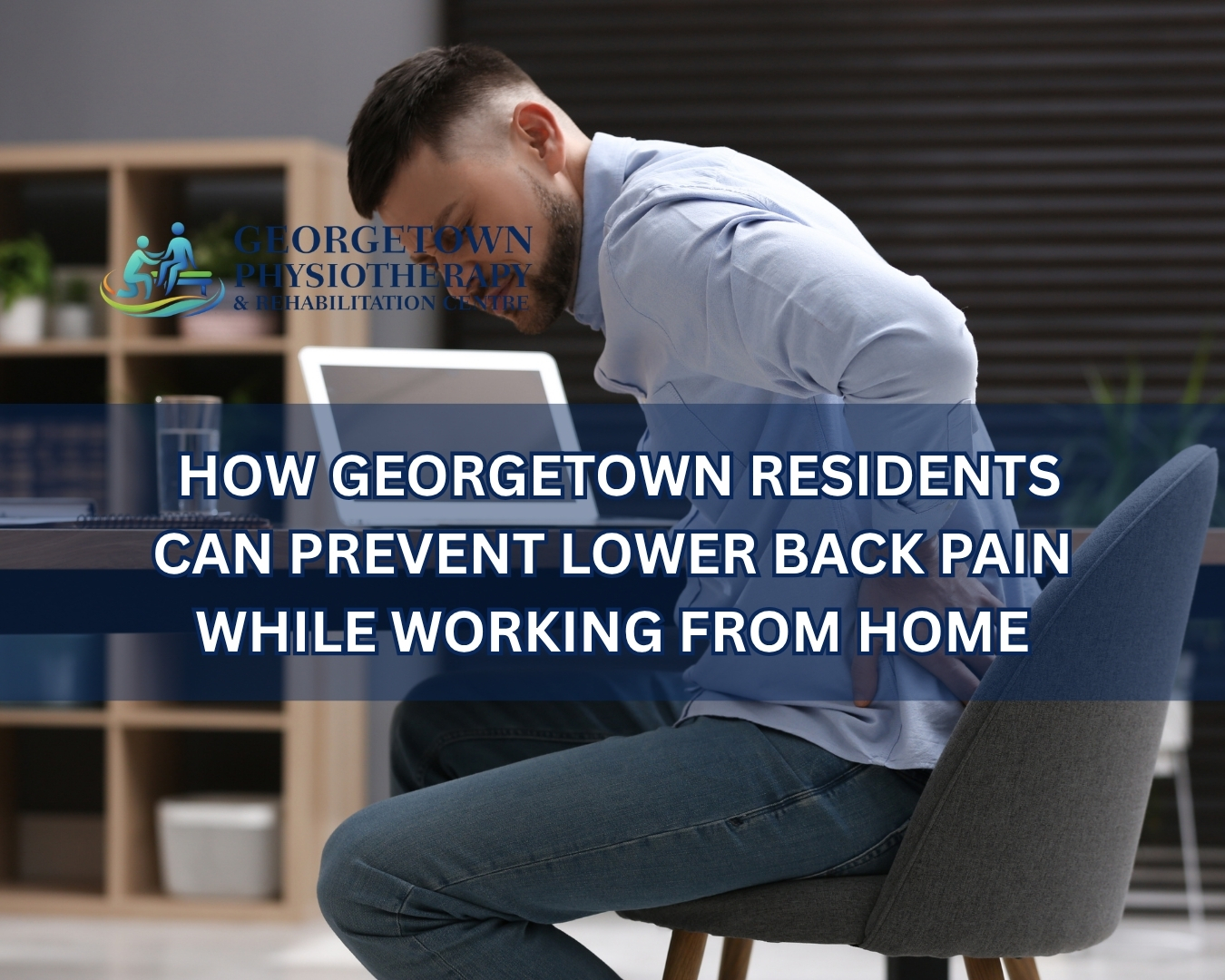
How Georgetown Residents Can Prevent Lower Back Pain While Working From Home
Working from home has become a permanent reality for many professionals. While remote work offers flexibility and convenience, it has also introduced a new set of health challenges. One of the most common complaints among remote workers is lower back pain.
Many home offices were never designed for full-time work. Dining room chairs, kitchen tables, couches, and makeshift workstations often lack the support needed for long hours of sitting. Combined with reduced movement throughout the day, these habits can place significant strain on the lower back and contribute to chronic discomfort.
At Georgetown Physiotherapy & Rehabilitation Centre, we frequently see patients experiencing lower back pain related to remote work. The good news is that many cases can be prevented through proper ergonomics, regular movement, strengthening exercises, and healthy work habits.
In this guide, we’ll explore practical ways Georgetown residents can protect their backs and stay comfortable while working from home.
Why Working From Home Can Cause Lower Back Pain
Many people assume working from home is less physically demanding than working in an office. However, remote work often creates conditions that place increased stress on the spine.
Common contributing factors include:
- Poor workstation setup
- Sitting for extended periods
- Lack of movement throughout the day
- Slouching posture
- Inadequate lumbar support
- Working from couches or beds
- Weak core muscles
- Increased stress levels
Over time, these factors can lead to muscle tension, joint stiffness, reduced mobility, and persistent lower back pain.
Understanding the Causes of Lower Back Pain
The lower back supports much of the body’s weight and plays a key role in movement and stability.
When sitting for prolonged periods, the muscles and joints of the lower back remain under constant pressure. Poor posture further increases stress on spinal structures, including:
- Muscles
- Ligaments
- Intervertebral discs
- Facet joints
- Nerves
Without proper support and regular movement, irritation and discomfort can gradually develop.
Create an Ergonomic Home Workspace
One of the most effective ways to prevent lower back pain is to optimize your workstation.
Choose a Supportive Chair
Your chair should provide adequate support for the natural curve of your lower back.
Look for:
- Adjustable height
- Lumbar support
- Comfortable cushioning
- Stable armrests
If your chair lacks lumbar support, consider using a small cushion or rolled towel behind your lower back.
Position Your Screen Properly
Your computer monitor should be at eye level.
A screen positioned too low encourages forward head posture and slouching, which increases strain throughout the spine.
Keep Your Feet Flat on the Floor
Proper sitting posture begins at the ground level.
Your feet should rest flat on the floor or on a footrest if necessary.
Position Your Keyboard Correctly
Your elbows should remain close to your body and bent at approximately 90 degrees.
This helps reduce tension in the shoulders and upper back while promoting better posture.
Maintain Proper Sitting Posture
Even with an ergonomic workstation, poor posture can still contribute to lower back pain.
Sit Tall
Keep your ears aligned with your shoulders and your shoulders aligned with your hips.
Avoid leaning forward toward your screen.
Support Your Lower Back
Maintaining the natural curve of the lumbar spine reduces stress on muscles and joints.
Avoid Crossing Your Legs
Crossing your legs for extended periods can contribute to pelvic imbalance and postural strain.
Relax Your Shoulders
Shoulders should remain relaxed rather than elevated or rounded forward.
Avoid Sitting for Too Long
The human body was designed to move, not remain seated for hours at a time.
Prolonged sitting can lead to:
- Muscle tightness
- Joint stiffness
- Reduced circulation
- Increased spinal pressure
Follow the 30-Minute Rule
Aim to stand up and move every 30 minutes.
Simple activities such as:
- Walking around the room
- Stretching
- Refilling a water bottle
- Taking a short break
can help reduce spinal stress throughout the day.
Incorporate Daily Stretching
Stretching helps improve flexibility and reduce muscle tension caused by prolonged sitting.
Hip Flexor Stretch
Extended sitting often causes hip flexor tightness, which can contribute to lower back discomfort.
Hamstring Stretch
Tight hamstrings can increase tension on the pelvis and lower back.
Cat-Cow Stretch
This gentle movement helps improve spinal mobility and reduce stiffness.
Child’s Pose
Child’s Pose provides a gentle stretch for the lower back and surrounding muscles.
Performing these stretches regularly can help maintain flexibility and comfort.
Strengthen Your Core Muscles
Strong core muscles provide essential support for the spine.
When core muscles are weak, the lower back often compensates by working harder, increasing the risk of pain and fatigue.
Effective Core Exercises
Pelvic Tilts
Pelvic tilts help activate deep abdominal muscles while improving spinal awareness.
Bridges
Bridges strengthen the glutes, core, and lower back stabilizers.
Bird-Dog Exercise
This exercise improves balance, coordination, and spinal stability.
Dead Bug Exercise
Dead bug exercises strengthen core muscles while promoting proper spinal alignment.
A physiotherapist can recommend specific exercises based on your individual needs and fitness level.
Stay Physically Active Outside Work Hours
Many remote workers become less active overall because they no longer commute or move around an office environment.
Regular physical activity supports:
- Muscle strength
- Joint mobility
- Circulation
- Weight management
- Overall spinal health
Activities that can help include:
- Walking
- Swimming
- Cycling
- Yoga
- Strength training
Even 20 to 30 minutes of daily activity can make a significant difference.
Manage Stress and Tension
Stress can contribute to muscle tightness, particularly in the neck, shoulders, and lower back.
Remote workers often experience increased stress due to:
- Work-life balance challenges
- Extended screen time
- Social isolation
- Heavy workloads
Healthy stress-management strategies include:
- Deep breathing exercises
- Meditation
- Regular exercise
- Adequate sleep
- Scheduled breaks
Addressing stress can help reduce physical tension and discomfort.
Watch for Warning Signs
Occasional stiffness after a long workday is common, but persistent symptoms should not be ignored.
Consider seeking professional assessment if you experience:
- Ongoing lower back pain
- Pain that radiates into the legs
- Numbness or tingling
- Difficulty standing or walking
- Reduced mobility
- Pain that interferes with sleep
Early intervention often leads to faster recovery and better long-term outcomes.
How Physiotherapy Can Help
If lower back pain has already developed, physiotherapy can help address both symptoms and underlying causes.
At Georgetown Physiotherapy & Rehabilitation Centre, treatment begins with a comprehensive assessment.
Your physiotherapist will evaluate:
- Posture
- Movement patterns
- Flexibility
- Strength
- Workstation setup
- Daily habits
Based on the findings, a personalized treatment plan is developed.
Physiotherapy Treatments May Include:
- Manual therapy
- Therapeutic exercises
- Core strengthening
- Postural correction
- Ergonomic education
- Mobility training
The goal is to reduce pain, improve function, and prevent future episodes.
Additional Treatments That May Help
Massage Therapy
Massage therapy can help relieve muscle tension and improve circulation.
It is particularly beneficial for remote workers experiencing chronic tightness and stress-related discomfort.
Chiropractic Care
Chiropractic treatment may help improve spinal mobility and joint function when appropriate.
Laser Therapy
Laser therapy is a non-invasive treatment that may help reduce inflammation and promote tissue healing.
Why Choose Georgetown Physiotherapy & Rehabilitation Centre?
At Georgetown Physiotherapy & Rehabilitation Centre, we understand the unique challenges faced by remote workers.
Our team provides personalized treatment plans focused on:
- Back pain relief
- Posture correction
- Ergonomic education
- Mobility improvement
- Injury prevention
- Long-term spinal health
Our comprehensive services include:
- Physiotherapy
- Massage Therapy
- Chiropractic Care
- Laser Therapy
- Workplace Ergonomic Guidance
Every treatment plan is tailored to the individual’s symptoms, goals, and lifestyle.
Protect Your Back While Working From Home
Working from home offers many benefits, but it also requires greater attention to posture, movement, and workplace ergonomics. Small daily habits can have a significant impact on your spinal health and overall comfort.
By creating an ergonomic workspace, staying active, strengthening your core, and seeking professional guidance when needed, you can significantly reduce your risk of lower back pain.
Contact us today to learn more about our physiotherapy services and discover how we can help you work comfortably and pain-free.
Georgetown Physiotherapy & Rehabilitation Centre
333 Mountainview Rd S, Unit #2
Georgetown, ON L7G 5S5, Canada
Phone: +1 905-702-6633
Website: https://georgetownphysiotherapy.ca/
Email: info@georgetownphysiotherapy.ca